
Ask any shop owner what slows down their day, and you will hear similar answers: long queues at the counter, arguments over bills, running out of fast-selling items, and the monthly headache of GST. Most of these problems have a common cause. Information lives in too many places: the calculator, the bill book, the stock register, and the owner's head.
POS software brings all of it into one place. Below are 15 benefits that Indian retail owners notice in the first few months. We have kept the examples simple and practical.
Benefits at the counter
1. Faster billing and shorter queues
Scanning an item takes a second. Typing prices on a calculator takes much longer, especially with ten or fifteen items. Think of a sweet shop during Diwali: the line reaches the road. A shop that bills in 30 seconds instead of 90 seconds serves three times as many people in the same rush hour. In a festival season, that difference decides how many customers walk away.
2. Fewer billing mistakes
Prices come from your item list, not from memory. A new helper cannot quote last month's rate by mistake. The software adds the total and works out the tax, so there are no calculator slips. If a rate changes, you change it once, and it is right on every counter.
3. Correct GST on every bill
Each item has its own GST rate and HSN code. The bill shows CGST and SGST, or IGST for another state. This matters because GST rates differ from item to item (and sometimes by price slab), and many shops sell goods from three or four rate slabs on a single bill. You can read how the tax is calculated in How Does POS Software Work?
4. Easy payments by UPI, card and cash
Customers now pay in all three ways, often in the same bill. The software handles split payments and tells you how much came through each mode. At night, matching your UPI total with the app becomes a one-minute job instead of a puzzle.
5. Easy returns and exchanges
A customer comes back with a shirt that is the wrong size. You find the original bill by number or mobile, pick the item, and bill the new size. The difference is worked out, the stock moves back, and the original bill stays as it was. No arguments, no guesswork.
Benefits for stock
6. Live stock, always
Every sale reduces stock, and every delivery increases it. You can check how many packets are left in a few seconds. Picture a hardware shop in Hyderabad that sells 4,000 different items. Nobody can remember all the numbers. A screen can.
7. Fewer "out of stock" moments
You set a warning level for each item, say 10 packets. When stock falls to that level, you get an alert. That means you reorder before the shelf is empty, and not after a customer asks and goes elsewhere.
8. Less dead stock
Reports show which items have not moved in 30, 60 or 90 days. That is money sitting on a shelf. You can put those items on offer or stop buying more of them. Many owners are surprised to see how much of their capital is locked in slow items.
Benefits for control and money
9. Fewer leakages and less theft
Each staff member has their own PIN. You decide who can give discounts, who can cancel an item and who can take returns. Anything above the limit needs a manager. Every action is recorded with a name and time. This does not mean you do not trust your people. It means everyone is protected from doubts.
10. A clear view of your profit
Because the software knows the cost price and the selling price, it can show profit by item, by category and by day. Many owners discover that their best-selling item earns little, and a quiet item earns the most. That knowledge changes what you stock and what you push.
11. Cash control at closing time
At the end of the shift, the cashier counts the cash. The software shows what it should be, and the difference. Small differences are normal. A large or repeated difference tells you where to look. It also ends the old "I gave the change correctly" argument.
12. Better customer relationships
Save a regular customer's mobile number once, and you can see their purchase history, give store credit, or send the bill on WhatsApp. A neighbourhood pharmacy that remembers a senior citizen's monthly medicines earns loyalty that no discount can buy.
Benefits for the owner's peace of mind
13. Billing that does not stop when the internet does
Good POS software works offline and sends the bills later. A power cut or a weak connection does not stop the counter. We explain how in the offline billing section on our home page.
14. See your shop from anywhere
With cloud POS, you can check sales, stock and cash from your phone. An owner attending a family wedding in Jaipur can still see how the shop in Surat is doing today. For people who manage two or three outlets, this is a big relief.
15. A shop that is ready to grow
Opening a second counter or a second branch becomes a matter of adding it in the software. Stock is tracked for each store, and each manager sees only their own branch. Without a system, every new outlet multiplies the confusion.
What owners say
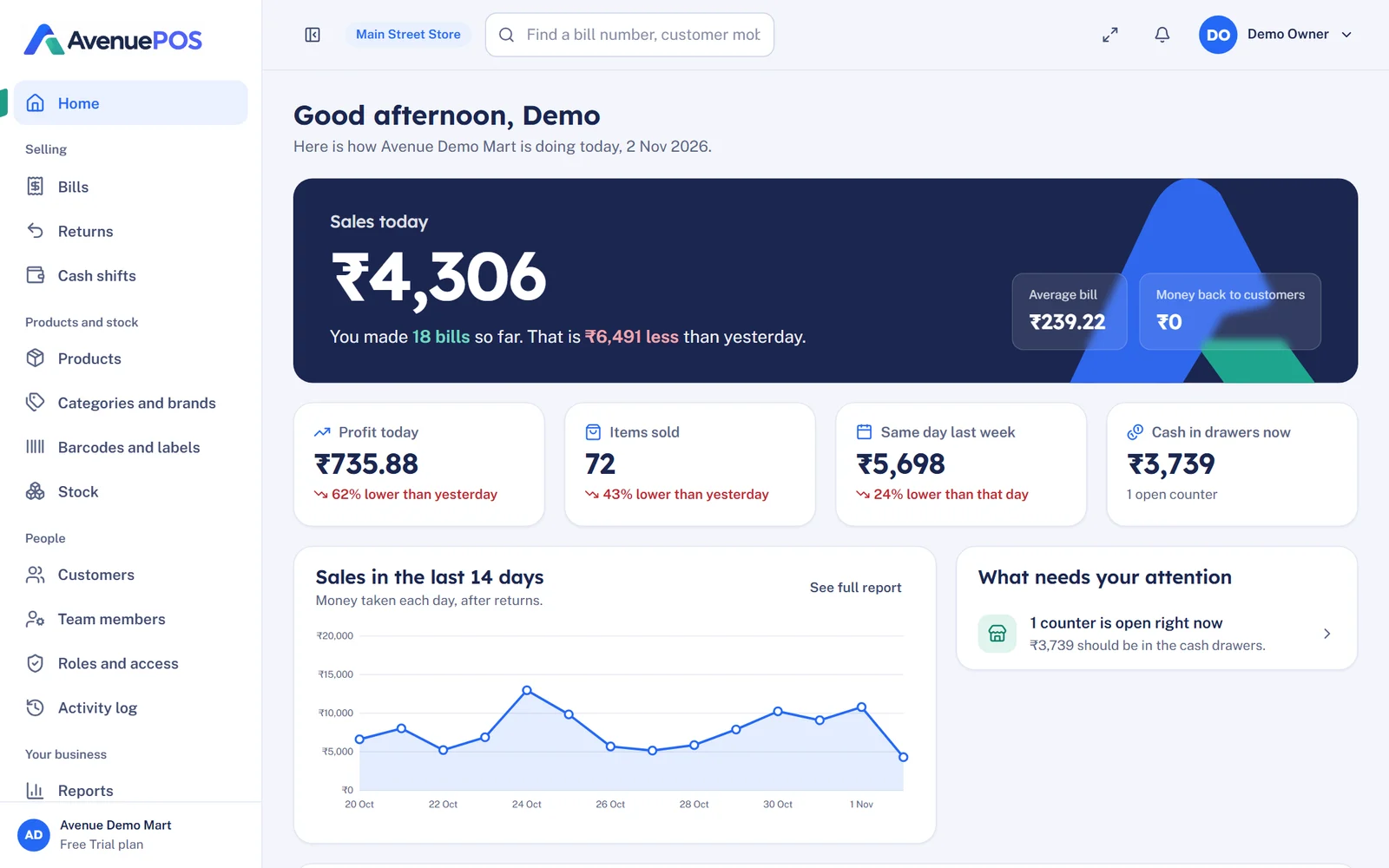
We asked some of our customers how it feels in daily use. Shiv Hardware in Hyderabad told us, "We need to handle many products and regular customer transactions. Avenue POS helps us manage billing and stock in an organised way. It is easy to use." HP Bala Stationery in Bengaluru said that managing different stationery products is easier, and having sales information in one place is very helpful. These are simple words, but they point to the same benefits as the list above: order, speed and clarity. If you run a similar shop, see how it looks for POS software for hardware stores.
Is it worth the cost?
A fair question. Our plans start at ₹499 a month, and you can read the full breakdown of what shops usually spend in How Much Does POS Software Cost in India?. A useful way to think about it: if the software saves you from one wrong bill, one missed reorder or one unnoticed discount a day, it has usually paid for itself.
Where do you start?
If you are still comparing the manual way with POS, read Manual Billing vs POS Software: Cost, Speed and Accuracy. If you are ready to shortlist, use the checklist in How to Choose the Best POS Software for Your Retail Store. And if you want to see how it looks for your shop type, you can try AvenuePOS free for 14 days, no card needed.