
The bill book, a pen and a calculator have served Indian shops for generations. Many successful shopkeepers built their business on them, and there is nothing foolish about that. But shops today handle more items, more payment modes and more rules than before. So it is fair to ask: how does manual billing compare with POS software on speed, accuracy and cost?
We have tried to be fair in this comparison. We sell POS software, so we have an interest, but we will also tell you where manual billing still works.
The comparison in one table
| Point | Manual billing | POS software |
|---|---|---|
| Speed per bill | Write, look up prices, add by hand | Scan or tap, total is instant |
| Accuracy | Depends on the person and the mood of the day | Prices and tax come from the item list |
| GST on each bill | Manual: rate, split and numbering by hand | Automatic, with HSN and CGST/SGST/IGST |
| Stock | A separate register or a guess | Updates itself after every sale |
| Discounts | Anyone can give, nobody records | Limits per person, manager PIN above the limit |
| Cash and UPI matching | Count and compare at night | Shown by payment mode in the closing report |
| Reports | Hours of adding up | Seconds |
| Lost or damaged records | A torn page is gone forever | Stored safely, can be exported |
| Owner away from shop | Phone calls and trust | Check sales from a phone |
| Upfront cost | Almost nothing | Software plan, plus a scanner or printer if you want |
Speed: where seconds become customers
Let us take a simple example. A hardware shop in Pune bills a typical customer with eight items. These are illustrative numbers.
- By hand: find each price, write the item, add up, work out GST if needed. Let us say it takes about 2 minutes.
- On POS software: scan or search each item, the total and tax appear on their own. Let us say it takes about 40 seconds.
In an evening rush of one hour, a counter that takes 2 minutes per bill serves about 30 customers. A counter that takes 40 seconds serves about 90. Even if the real gap in your shop is smaller, you can see why queues shrink. And during festival weeks, a shorter queue is the difference between a sale and a customer who goes to the next shop.
Accuracy: small mistakes that add up
Everyone makes mistakes with a calculator, especially at 8 pm. A wrong rate, a missed item, a wrong addition. In a hand bill, the mistake stays in the book. In a POS system, the price comes from the item list, so the same item is always billed at the same rate, and the maths is done by the machine.
A rough example. Suppose three small mistakes happen every day, and each costs ₹20 on average, in the shop's favour or against it. That is ₹60 a day, or about ₹1,800 a month, or ₹21,600 a year. These numbers are only a guide, but many owners are surprised when they count.
GST: a headache you can avoid
For a GST-registered shop, every invoice must have the right details: GSTIN, invoice number, date, items, quantity, taxable value, rate and amount of tax, and place of supply. Writing all this by hand on every bill is slow, and one missing detail can create trouble later. POS software fills the details on its own, splits the tax into CGST and SGST (or IGST), and gives your accountant a clean report at the end of the month. We showed a worked example in How Does POS Software Work? Please confirm current rules with your CA, since limits and rates change.
Stock: from a feeling to a number
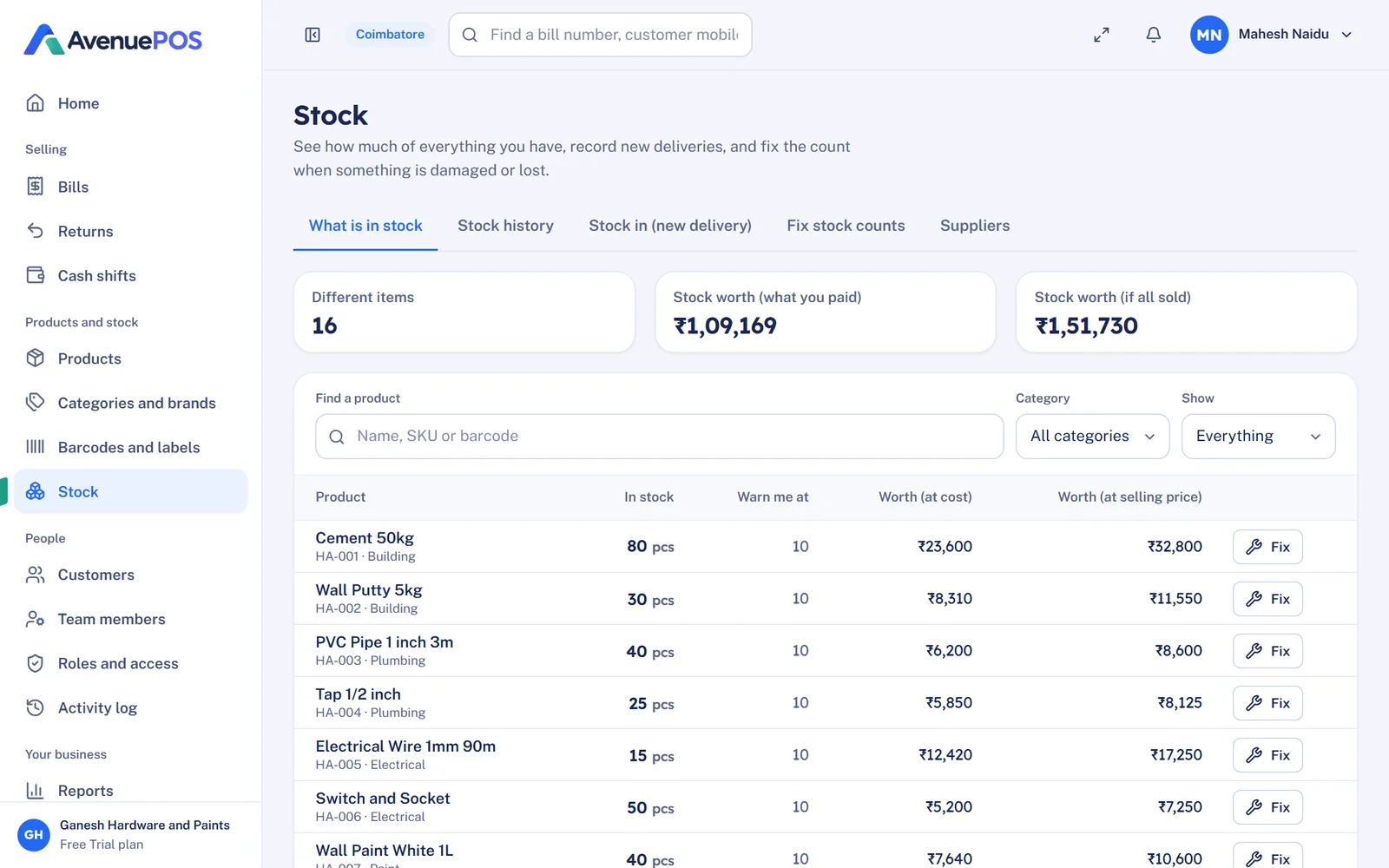
With manual billing, stock is usually checked by looking at the shelf, or by a separate register that is always a little behind. With POS software, every sale reduces stock, and every delivery adds to it. You can see low-stock items in a list, and you can see which items have not moved in months. That is money sitting on a shelf.
Control: who gave that discount?
In a manual shop, a discount is a decision made at the counter, by whoever is standing there. The owner finds out at the end of the month, if at all. With POS software, you set a limit, for example 5% for a cashier. Anything higher needs a manager's PIN, and the log records who approved it. This does not mean you doubt your staff. It means everyone is clear on the rules, and no one is blamed for a doubt.
Real cost: the sum most people skip
Let us put cost next to cost. These are illustrative figures. Please replace them with your own.
| Cost per month | Manual billing | POS software (Starter plan) |
|---|---|---|
| Bill books, pens, calculators, registers | ₹300 | ₹0 |
| Software subscription | ₹0 | ₹499 (plus GST) |
| Billing mistakes | ₹1,800 | Close to ₹0 |
| Unrecorded discounts | ₹3,000 | Controlled and visible |
| Owner's time on counting and checking | 30 hours | A few hours |
| Total money cost | about ₹5,100 | about ₹499 |
The hardware, such as a scanner and a thermal printer, is a one-time cost of about ₹7,000 to ₹15,000, and it is optional at the start. We explain the full numbers in How Much Does POS Software Cost in India? You can also see what the plans include on the pricing page.
When manual billing is still fine
We would not be honest if we said every shop must switch tomorrow. Manual billing can be enough if:
- You make only a handful of bills a day
- You sell a few items with prices that rarely change
- You are not GST-registered, and no one asks for a proper invoice
- You are always at the counter yourself and trust your memory
If even one of these is not true, or if you plan to grow, then POS software starts to make sense. Our article Why Every Retail Shop Needs a POS Billing System lists ten warning signs that you are due for a change.
What shops say after they switch
Kismat Hardware in Pune told us, "We wanted a straightforward billing solution for our business. Avenue POS makes everyday transactions easier and helps us keep our sales records organised." And Shiv Hardware in Hyderabad said it helps them "manage billing and stock in an organised way". If you run a hardware shop, you can see how it looks on our page for POS software for hardware stores.
How to move from the bill book to POS without drama
- Pick a slow week, not the festival season.
- Enter your top 100 items, with prices and GST rates.
- Bill on both systems for a few days, and compare the totals every night.
- Stop the bill book once the numbers match.
- Keep the old books safely, because you still need them for past records.
The full plan is in How to Implement POS Software in an Existing Retail Store.
The bottom line
The bill book is not wrong, it is just limited. It cannot warn you about low stock, cannot stop an unrecorded discount and cannot give you a profit figure. POS software can. If you do the sum honestly, with your own numbers, you will likely find that the cheaper option is the one that costs a few hundred rupees a month.