
Imagine a Saturday evening in a stationery shop near Deccan Gymkhana in Pune. The school-supplies rush is on. One customer wants five notebooks, a geometry box and two packets of coloured paper. The shopkeeper adds it up on a calculator, checks a price in a register, and shouts to his helper to confirm the rate of the compass box. Meanwhile, the queue is getting longer and two customers have already walked out.
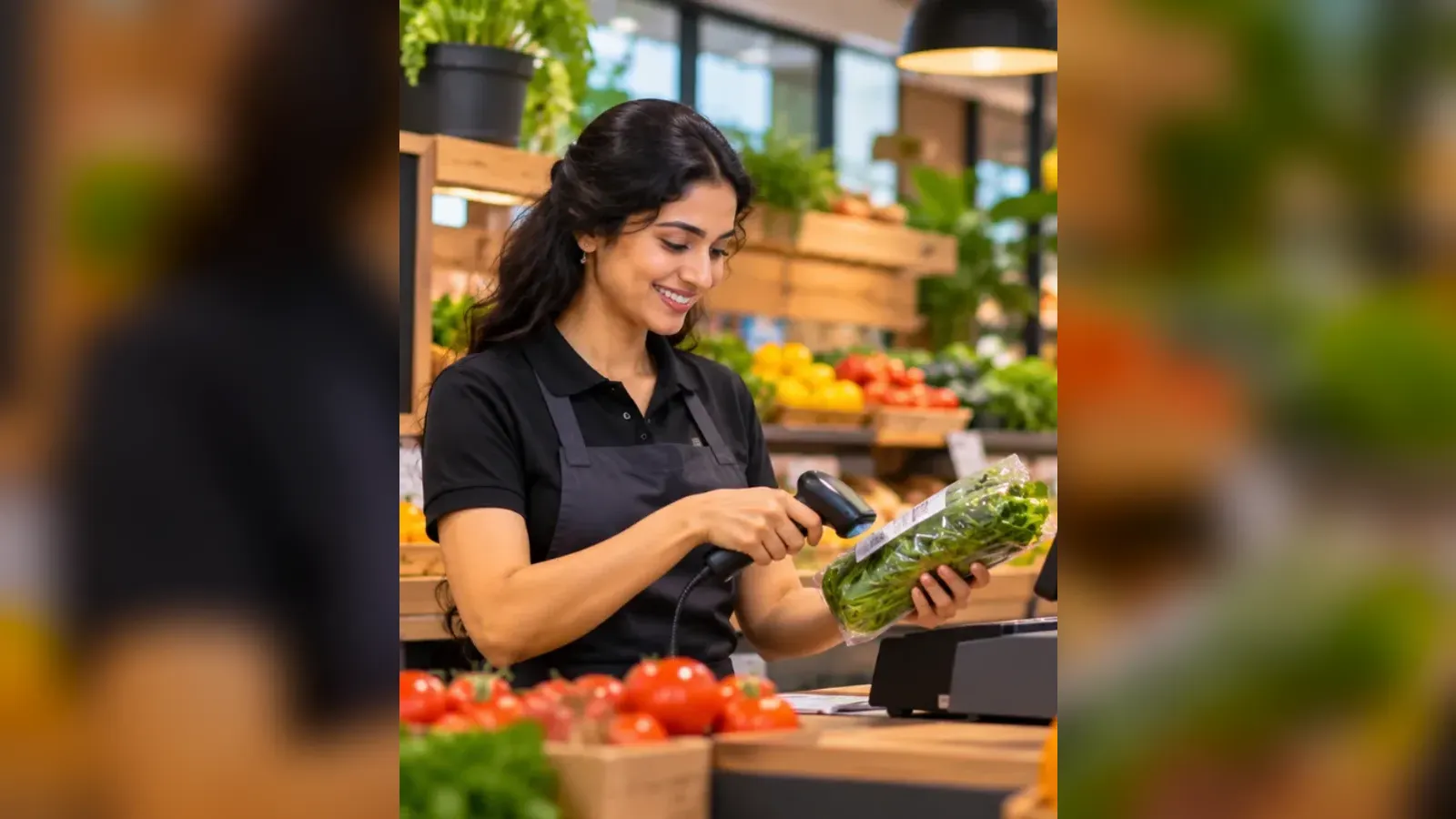
Now picture the same counter with POS software. The helper scans each item, the screen shows the price and GST, the customer pays by UPI, and a bill prints in a few seconds. The stock of notebooks goes down on its own. At night, the owner sees the day's sales without opening a single register.
That is what POS software does. In this guide, we explain it in plain words: what it is, what is inside it, how it helps in India with GST and UPI, and how to know whether your shop needs it.
What does "point of sale" mean?
The point of sale is simply the spot where a sale is completed. In a small Indian shop, that is the galla, the cash counter. It is where the customer hands over the money and the shopkeeper hands over the goods.
For many years, that spot ran on three things: a calculator, a bill book and the owner's memory. POS software moves all three onto a screen. Every item you sell is recorded with its price, its tax and the time of the sale. Nothing depends on someone remembering, and nothing is lost when a page of the register gets torn.
What does POS software actually do?
Different products have different extras, but a good POS system for a retail shop does these seven jobs.
1. Makes the bill
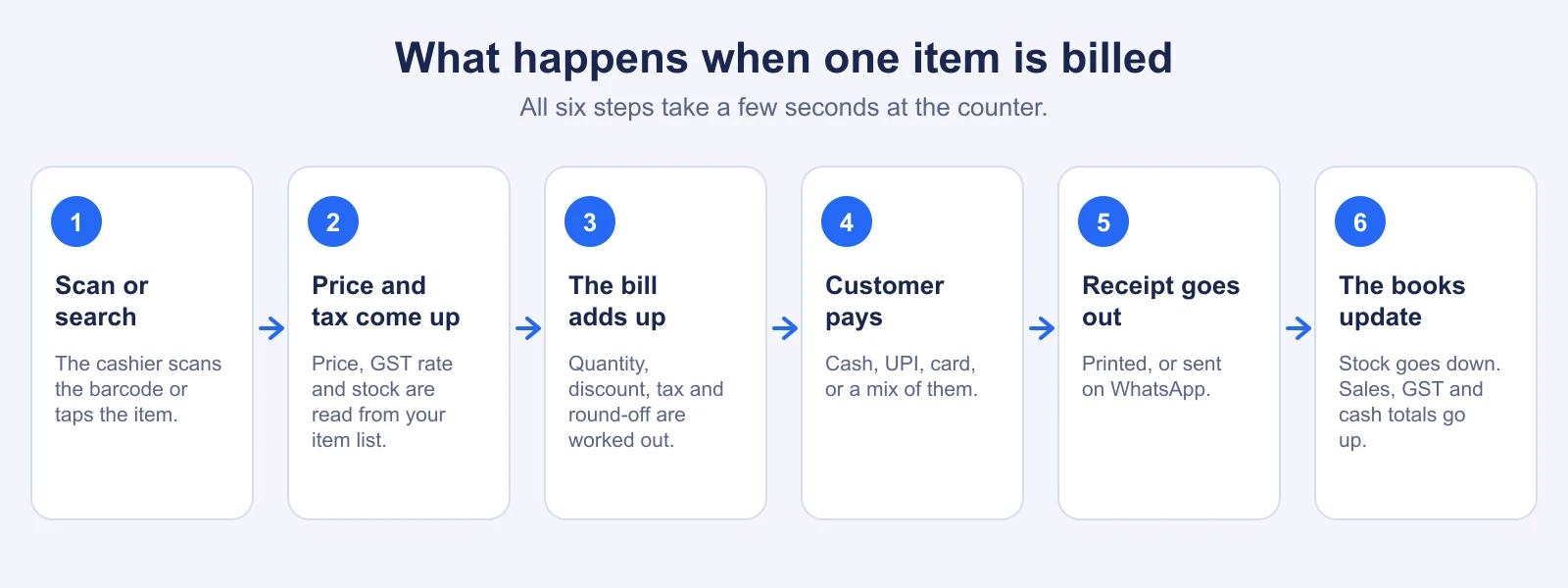
The cashier scans a barcode or searches by name. The software picks up the price, applies the discount, adds the GST and prints or sends the bill. A bill that used to take a minute now takes a few seconds, and it is always correct.
2. Takes payment in any way
Customers in India pay by cash, UPI, cards and sometimes a mix of all three. POS software handles split payments, shows the change to return, and records exactly how much came in through each mode. At the end of the day, the UPI total on your phone should match the UPI total in the software.
3. Keeps your stock
Every sale reduces stock. Every delivery from a supplier increases it. So you always know how many packets of atta or how many phone covers are left, without a physical count. You can also set a warning level, so that you reorder before the shelf goes empty.
4. Handles GST properly
Each item carries its own GST rate and HSN code. The bill shows CGST and SGST, or IGST when you sell to another state. When it is time to file returns, your accountant gets clean reports instead of a heap of paper. We have explained this in more detail in POS software vs billing software.
5. Remembers your customers
Save a regular customer's mobile number once, and you can see what they bought earlier, give store credit, or send a bill on WhatsApp. The neighbourhood aunty who buys her monthly groceries on the first of every month becomes a name in your list, not just a face.
6. Controls your staff
Each person logs in with their own PIN. You decide who can give a discount, who can cancel an item and who can take a return. If something looks wrong, the log shows who did it and when. This alone stops a lot of small leakages.
7. Gives you reports
Which items sell the most? Which brand gives you the best margin? What was the cash difference at closing time? Reports answer these questions in seconds, and you can look at them from home.
What is inside a POS system?
A POS system has two parts: the software and the hardware.
- Software: the program that does the billing, stock and reports. It can be installed on one computer, or it can run on the internet as cloud software.
- A screen: a Windows PC, a laptop, a tablet or a phone.
- A barcode scanner: optional, but it makes billing much faster. Any USB or Bluetooth scanner that types like a keyboard usually works.
- A receipt printer: a small thermal printer, 2-inch or 3-inch. Many shops also send the bill on WhatsApp.
- A cash drawer: optional. It opens by itself when a cash bill is saved.
As a rough idea, many shops in India set up the hardware for somewhere between ₹10,000 and ₹25,000, depending on what they already own. These are indicative figures. Please check with a local dealer, because prices change from city to city and month to month. We have a full breakdown in How Much Does POS Software Cost in India?.
A day in a kirana shop, with and without POS software
Let us take an example. Imagine a kirana shop in Indore that sells about 150 bills a day, from 8 in the morning to 10 at night. The numbers below are illustrative, to show the idea, not a measured result.
| What happens | Without POS software | With POS software |
|---|---|---|
| Billing a customer with 8 items | Write each item, add by hand or on a calculator | Scan or tap each item, total is automatic |
| Checking if oil is in stock | Walk to the godown and look | Look at the screen |
| Knowing today's sales | Count the cash and match it with the book at night | Open the day's report |
| Giving a discount | The cashier decides, the owner finds out later | Limit set by the owner, above it a manager PIN is needed |
| GST filing | The accountant sorts a pile of bills | One tax report, ready to share |
The shop sells the same things to the same people. The difference is that the owner now knows what is happening in his own shop, without standing at the counter all day.
Types of POS software
There are mainly three ways in which POS software is delivered.
- Traditional (installed) POS: installed on one computer. You usually pay once and then pay a yearly support fee. The data stays on that computer.
- Cloud POS: runs in a browser and stores data on secure servers. You pay a monthly or yearly subscription, and updates happen automatically.
- Mobile POS: runs on a phone or tablet, useful for shops that move around, for example in a mela or a weekly market.
Most new shops today prefer cloud POS, because it is easier to start and does not depend on one computer. We compare the two properly in Cloud-Based POS vs Traditional POS Software.
What about the internet? My shop's connection is not great.
This is the first worry we hear from shop owners in towns like Nashik, Bhopal or Coimbatore, and it is a fair one. A good POS system keeps working when the internet goes. Your items, prices and staff logins are stored on the counter computer. You can bill, hold bills and close the shift without internet. When the connection returns, the sales are sent to the server in the same order, once only. Look for this feature before you buy anything. At AvenuePOS, we built offline billing for exactly this reason.
POS software and GST: what changes for you
If you are registered under GST, your invoice must carry certain details: your name and GSTIN, an invoice number, the date, a description of the goods, the quantity, the taxable value, the tax rate and amount, and the place of supply. For business customers, their GSTIN also goes on the invoice. Doing this by hand for every bill is tiring, and one mistake can cause trouble later.
POS software fills all of this on its own. If you are under the composition scheme, it can issue a bill of supply instead of a tax invoice. Records are saved in a form that you can hand to your chartered accountant. GST rules and limits change from time to time, so please confirm current limits with your CA. The software only helps you apply them consistently.
Common myths about POS software
"It is only for big malls and supermarkets."
This is the biggest myth. Big stores adopted it first, but a small shop gains more, because the owner does everything. A single-counter shop can start with a simple plan and a laptop.
"My staff will not learn it."
Most cashiers who can use WhatsApp can learn a POS screen in an afternoon. Item pictures, big buttons and plain words help. Our guide on how to implement POS software in an existing store shows a simple way to train your team during a slow week.
"It is too costly."
Cloud POS plans in India start at a few hundred rupees a month. Ours begin at ₹499 a month. Compare that with what a single billing mistake or a month of untracked discounts costs you.
"I will lose my data if the computer crashes."
With cloud POS, your data lives on servers and is backed up. With the old kind, a crashed hard disk could really wipe out years of records, which is why backup matters.
Which shops should use POS software?
Almost any shop that sells items across a counter benefits. Some examples where it fits especially well:
- POS software for grocery stores and supermarkets, where hundreds of small items are sold every day
- POS software for pharmacies, where batch numbers and expiry dates matter
- POS software for clothing stores, where each design comes in many sizes and colours
- POS software for hardware stores, with thousands of items and contractor accounts
- POS software for stationery and book shops, with heavy school-season rush
Some of our own customers are shops like these. Medbe Pharmacy in Kochi told us, "Quick billing is important in our business. Avenue POS offers a convenient way to manage customer transactions and daily sales." Jain Sons Stationery in Jaipur said it has made their billing process more convenient.
How to get started
- List your top 100 items with their prices and GST rates. You can import them from an Excel sheet.
- Choose your hardware. A laptop and a scanner is enough to begin. Add a printer later if needed.
- Pick the software using a simple checklist. Our guide on how to choose the best POS software has one.
- Try it free for a week or two. Bill a few real customers, alongside your old method at first.
- Train your staff and then switch fully. Keep the old register for a few days, just in case.
If you want to see how it looks for your kind of shop, you can browse shop types or talk to us. There is a 14-day free trial, and no card is needed.
The bottom line
POS software is not a luxury for big brands. It is a simple tool that makes billing faster, stock clearer and GST easier, and it lets an owner keep an eye on the shop even from home. If you have ever lost a sale because of a long queue, or lost money because a count did not match, then it is worth a look.